Tether
Tendril Works · Android · 1.0.0 on Google Play
At a glance
- 01Problem
- Long reading on a phone loses to everything else on the phone. I wanted a reader designed with ADHD in mind.
- 02What I did
- Created Tether and built it in Kotlin and Jetpack Compose: article, feed, PDF and EPUB import, a one-word-at-a-time Focus view, local-first storage and a signed release pipeline.
- 03Evaluation
- Unit tests, lint and a debug build run on every pull request in GitHub Actions. Alpha builds went through Google Play closed testing before release.
- 04Result
- Version 1.0.0 is out on Google Play for Android 9+, with no accounts, ads or analytics.
Most of what I want to read reaches me on my phone, which is very good at pulling me somewhere else. Twenty minutes after opening a long article, I've usually read two paragraphs. Tether is the reader I built for that, designed with ADHD in mind.
- 01Hold to read
Focus only runs while your finger is down. Lift it and the words around your place come back.
- 02One position everywhere
Focus, the page, PDFs, EPUBs and Listen all read from the same saved place.
- 03Originals stay original
PDFs and EPUBs open in their own engines. Highlights and notes never touch the file.
- 04Honest word counts
Words count no faster than a person could read them, so skipping ahead doesn’t inflate them.
- 05Type that helps
Lexend, Atkinson Hyperlegible and OpenDyslexic, a reading ruler, soft tints and eight themes.
- 06Nothing to sign up for
No account, ads or analytics. Articles are extracted on the phone and stay there.
Most
It Started as an RSVP App
The first build in May took a link, pulled out the article text and flashed it one word at a time. That technique, RSVP, usually gets sold as speed reading. I only wanted to know whether keeping the word in one place made a long article easier to finish on a phone.
Often I wanted the whole paragraph back, so a full-page reader appeared next to it, then themes, feeds, PDFs and EPUBs. I tagged a 1.0 in June and took it back in October. Emulators had told me the app worked, not that it was ready for anyone else. It went back to 0.1.0-alpha.1 and a small closed test, and after a few alpha builds, 1.0.0 went out on Google Play in late October.
One Word at a Time, Carefully
The research on RSVP is mixed, and one study found that stopping people from rereading hurt comprehension. So Focus is easy to leave: hold to read, lift to stop, and the words around your place come back so you can drag backward.
Words per flash is a maximum. A flash stays under 18 characters, long words go alone, and punctuation ends a group. Set the demo to three and “Extraordinarily” still arrives on its own. It's a display heuristic, not a claim about comprehension.
Two Readers, One Place
Focus, the page, the original PDF or EPUB, Listen and the library all read from one saved position. Imported files open in Readium and AndroidX PDF, and the extracted text Focus reads from is mapped to and from each engine's own locations.
Most
Most of what I want to read reaches me on my phone, and my
“Most”
0% · page 1 of 4
Highlights also save a short quote, so they can be found again after an article is re-imported. If the quote matches in two places, the mark stays detached rather than guessing.
Counting Words Honestly
I nearly left out the progress screen, since reading stats easily become one more thing to feel behind on. I kept it with one rule: words read are capped by time spent reading, at 600 a minute in Focus and 450 on the page. Drag to the end of a long article and you get credit for the seconds it took, not the whole article.
- Scrolled past
- 1,040
- Counted
- 1,040
- Scrolled past
- 3,000
- Counted
- 113
Fewer Things Competing With the Page
Reminders, sounds and feed notifications stay off until you turn them on, and motion follows the system setting. There's no account, ads or analytics.
Earlier versions sent hard pages to a Cloudflare Worker. Now articles are fetched and cleaned up on the phone, and pages that need a sign-in open in a temporary browser that clears its cookies on close. It doesn't get around paywalls.
System surface
- App
- Kotlin · Jetpack Compose
- Articles
- On-device fetch and DOM cleanup
- Sign-in pages
- Temporary WebView, cleared on close
- EPUB
- Readium Kotlin Toolkit 3.3
- AndroidX PDF · PDFBox for links
- Storage
- Immutable JSON revisions · DataStore
- Delivery
- GitHub Actions · manual pre-releases
Library, marks and reading history stay on the device and can be exported to a backup file.
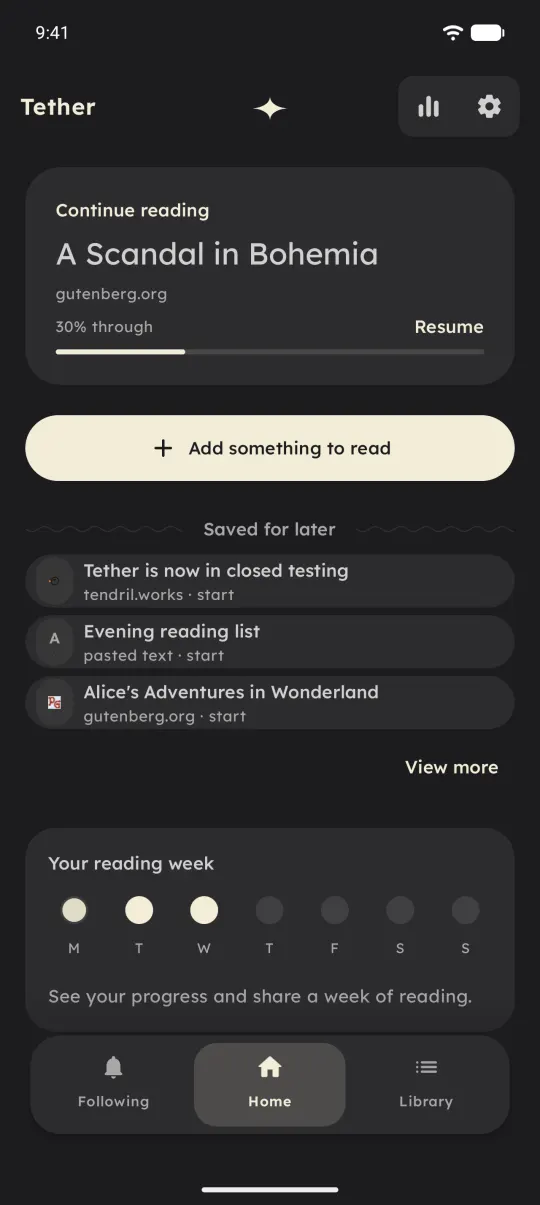 Home puts the unfinished piece first.
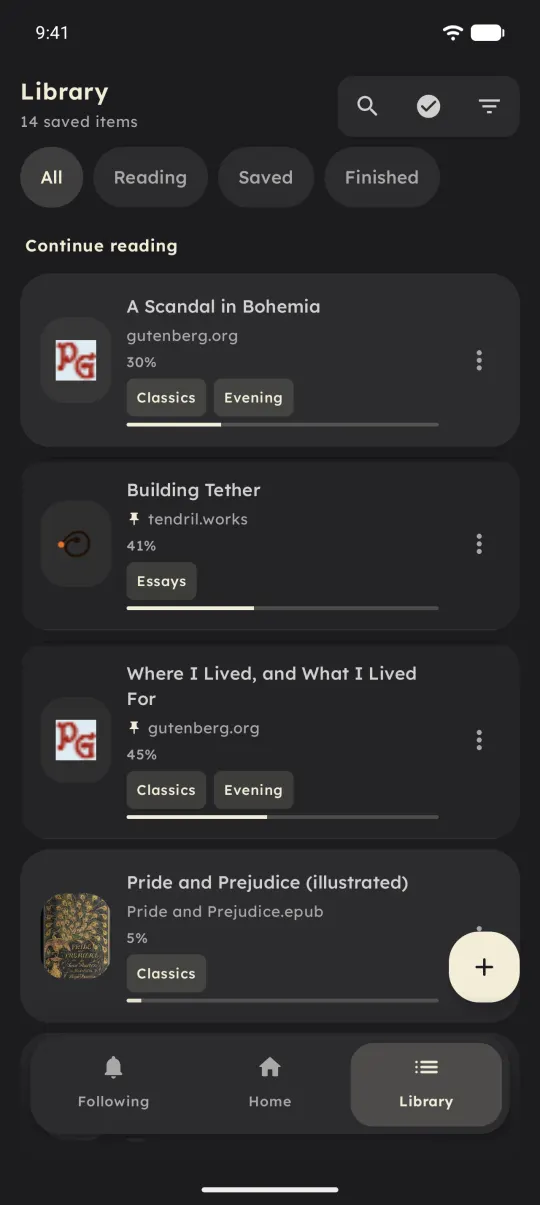 Reading, Saved and Finished shelves.
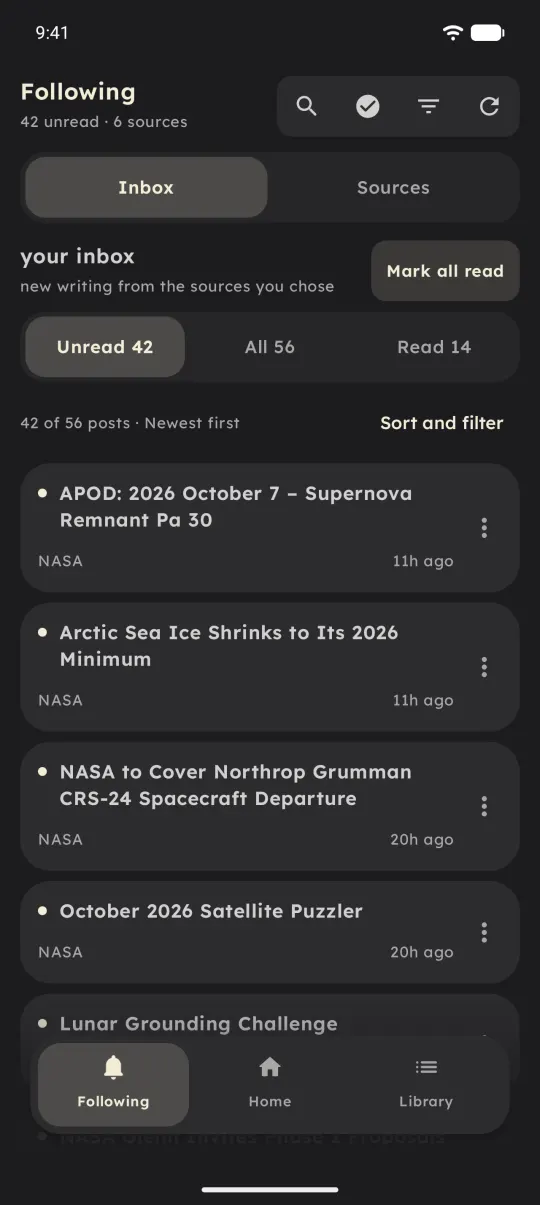 Feeds land in their own inbox.
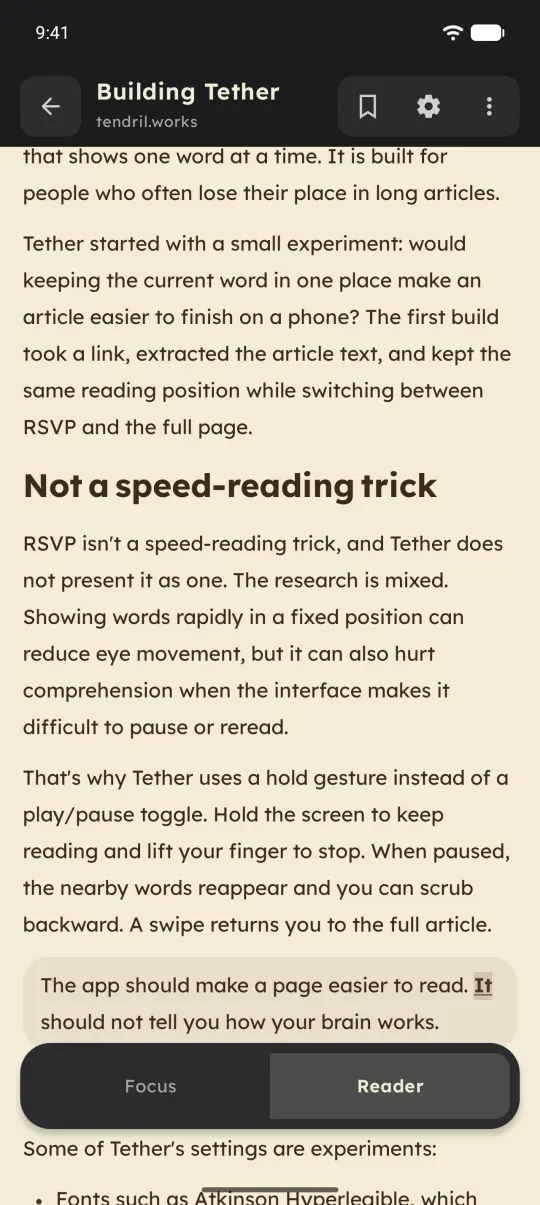 An article in the Sepia theme.
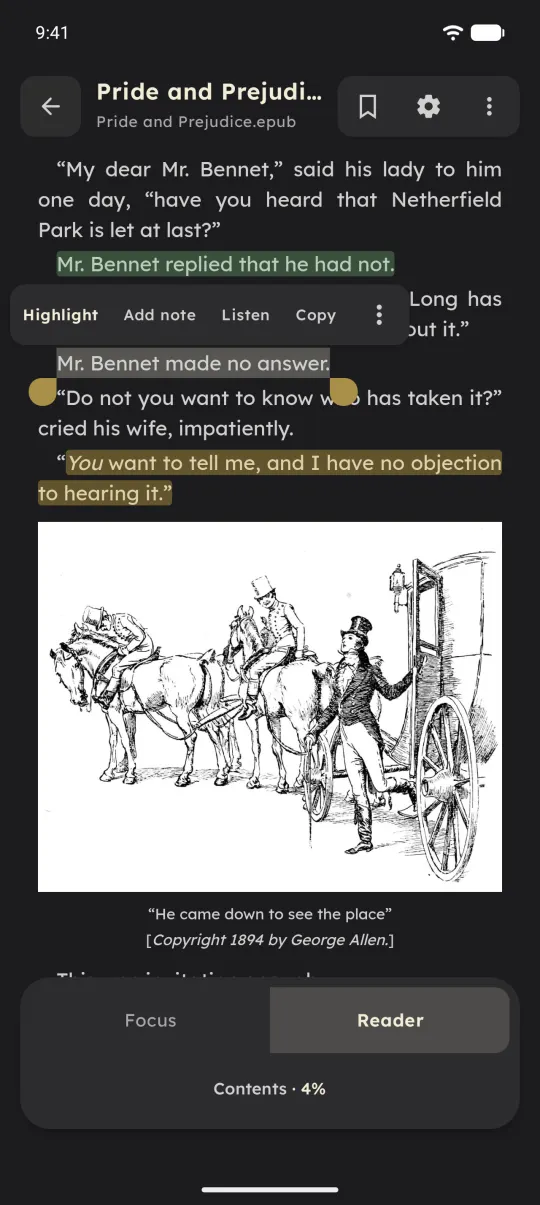 An EPUB with highlights.
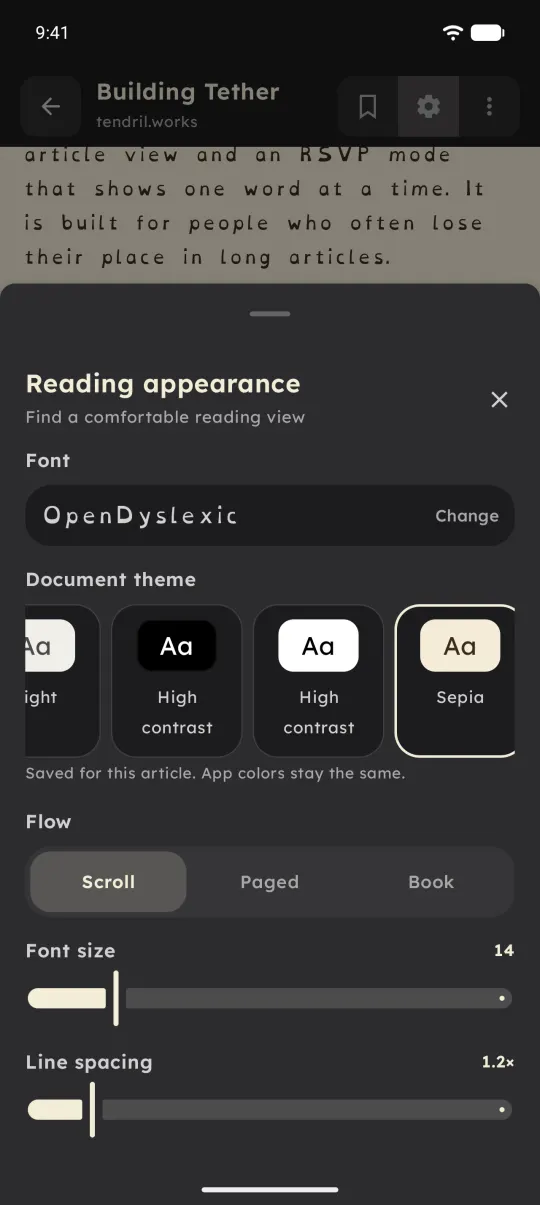 OpenDyslexic, themes and flow.
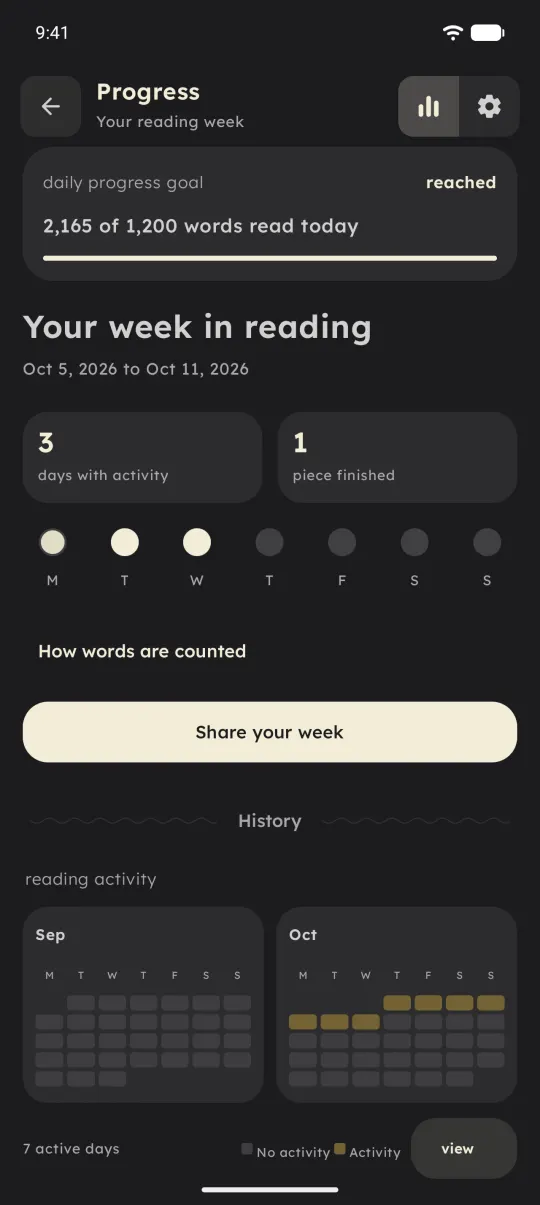 A week of reading.
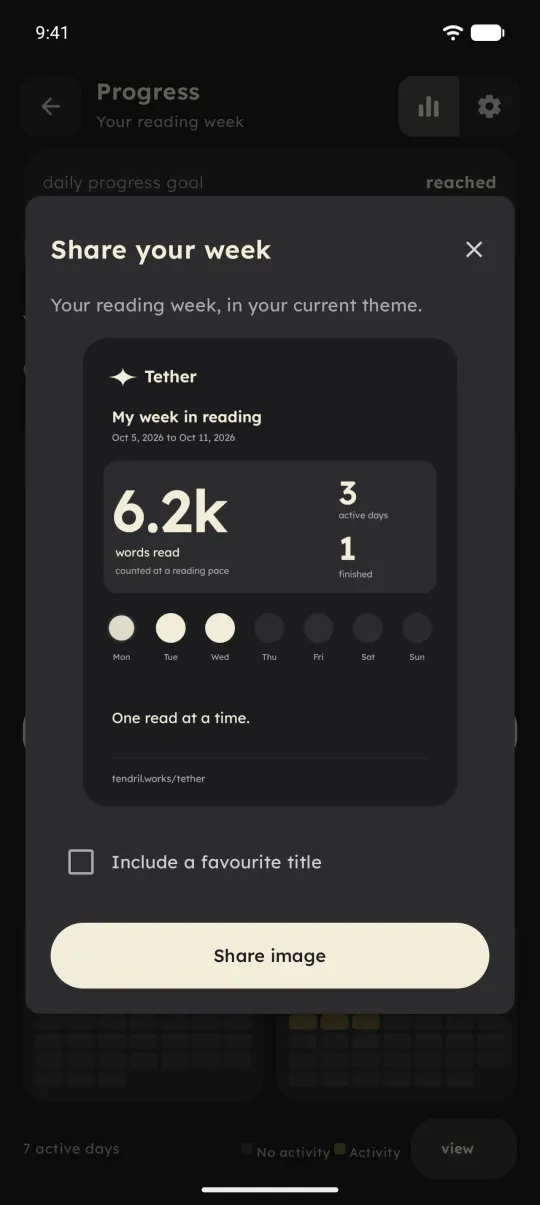 The optional share card.
How It's Built
Local-first storage
Everything lives in app-private storage. Articles are JSON and text records with an index, settings sit in DataStore, and RSS and Atom feeds have their own repository and inbox. An imported PDF or EPUB is staged and hashed before any text is extracted, then committed with an atomic metadata sidecar before the item appears in the library. Delete and Undo move the original along with its text, marks and structure. Backup is an export: content, settings, marks, document structure and reading history as one JSON file that can be restored later.
One text, several engines
Web articles are fetched on the phone and cleaned with Readability4J and Jsoup. EPUBs open in the Readium Kotlin Toolkit and PDFs in AndroidX PDF, with PDFBox for links. The originals stay in their own engines, and extracted text becomes a single token stream with sentence, clause, heading and emphasis flags. EPUB resources and PDF page boundaries map native locations to token indices in both directions. That stream is the compatibility layer: a richer, versioned document model can sit on top, but it must keep every token index unchanged, so saved positions and marks never shift. Anything that fails validation or alignment falls back to the plain token view.
Timing in Focus
Speed runs from 100 to 1,000 words a minute on the slider, with custom values up to 4,000. Every word keeps its own duration, and periods, commas, semicolons and colons each add an adjustable pause. Grouping follows the rules in the demo above, and the renderer measures the chosen font and scales a group to fit the screen width.
Accessibility and read-aloud
Reading aids include Lexend, Atkinson Hyperlegible and OpenDyslexic, bold word prefixes, tint overlays, a reading ruler and high-contrast themes. Motion follows the system or can be reduced or turned off. With TalkBack on, controls stay visible and Focus hands over to the full reading view. Read-aloud, for supported publications, uses Android's text-to-speech in the foreground only: backgrounding pauses it, and closing the player stops it.
Status
Kotlin and Jetpack Compose, version 1.0.0, on Google Play. Pull requests run unit tests, lint and a debug build in GitHub Actions, and signed builds go out through a manual release workflow, with alphas going to closed testing first.
Where It Is Now
Tether 1.0.0 is on Google Play for Android 9 and up. What I want to learn next is how it holds up after a few weeks of daily reading. If something feels off, the Feedback screen in Settings comes straight to me, and there's more on Tendril Works.